Please make the amount of each contribution $10 USD or more if possible. Your contributions will be deeply appreciated. Learn more...GitHub Sponsors – Your contributions will be deeply appreciated.
CrystalDiskInfo
About CrystalDiskInfo
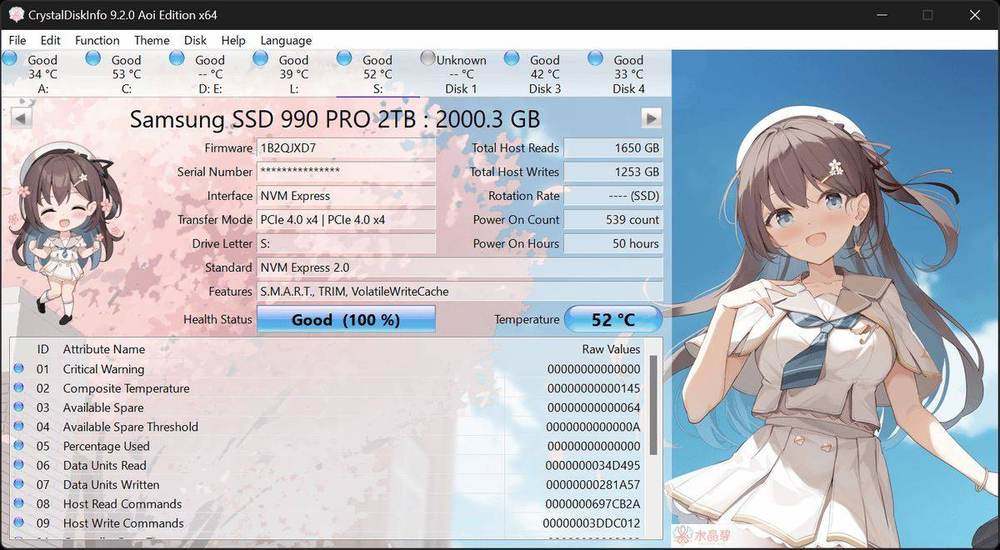
Free drive health monitor for Windows that reads S.M.A.R.T. data from SATA and NVMe disks, many USB enclosures, and select Intel RAID setups.
Using CrystalDiskInfo: SSD & HDD Health Monitor on a Windows PC
This independent guide introduces CrystalDiskInfo: SSD & HDD Health Monitor from a practical Windows user’s perspective. It explains what the utility is designed to show, which preparation steps improve consistency, how editions differ, and where the displayed values need additional context.
Before running a storage test, pause large transfers, leave sufficient free space, and note the active power plan and driver. Confirm the program version and publisher information before installing it. Compare results only when workload and settings match, and never use a performance test as a replacement for backups or health monitoring.